What is Event Delegation in JavaScript: Complete Guide
Introduction to Event Delegation
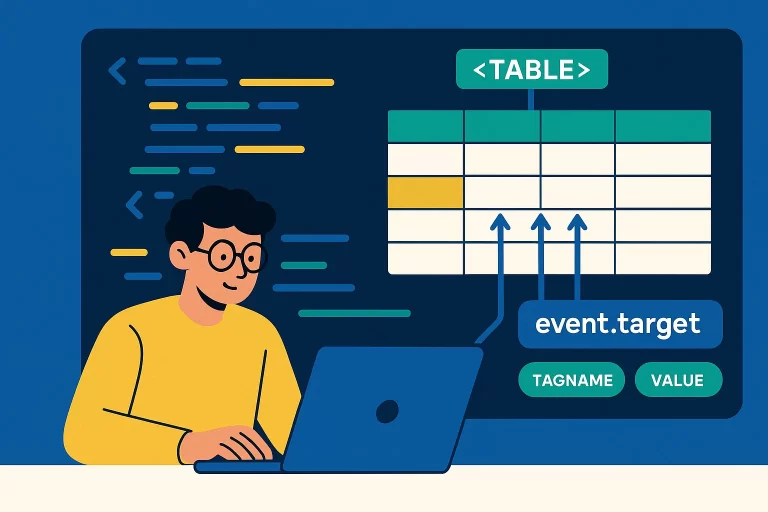
Event delegation is a technique that leverages event bubbling to handle events on multiple elements efficiently by attaching a single event listener to a parent element. This is particularly useful for dynamically generated elements or large DOM structures, such as tables with many rows and columns.
Key Point: Event delegation uses event bubbling to capture events from child elements at a higher level in the DOM, reducing the need for multiple event listeners.
Why Use Event Delegation?
Attaching individual event listeners to many elements (e.g., each cell in a large table) is inefficient and resource-intensive. Event delegation allows you to handle events at a parent level, using the event.target property to identify the specific element that triggered the event.
Basic Event Delegation Example
<!-- HTML -->
<table id="myTable">
    <tr>
        <td>Cell 1</td>
        <td>Cell 2</td>
    </tr>
    <tr>
        <td>Cell 3</td>
        <td>Cell 4</td>
    </tr>
</table>

document.getElementById('myTable').addEventListener('click', (event) => {
    console.log(`Clicked element: ${event.target.tagName}`); // Outputs tag, e.g., TD
    console.log(`Value: ${event.target.innerHTML}`); // Outputs cell content
});
Clicking any table cell logs its tag name and content, handled by a single listener on the table.
Handling Different Element Types
The event.target property allows you to differentiate between element types (e.g., TD, INPUT) and access their specific properties, such as innerHTML for content or value for input fields.
Delegation with Mixed Elements
<!-- HTML -->
<table id="myTable">
    <tr>
        <td>Cell 1</td>
        <td><input type="text" value="Input 1"></td>
    </tr>
    <tr>
        <td>Cell 2</td>
        <td><input type="text" value="Input 2"></td>
    </tr>
</table>

document.getElementById('myTable').addEventListener('click', (event) => {
    const target = event.target;
    console.log(`Tag: ${target.tagName}`);
    if (target.tagName === 'TD') {
        console.log(`Content: ${target.innerHTML}`);
    } else if (target.tagName === 'INPUT') {
        console.log(`Value: ${target.value}`);
    }
});
This code logs the tag name and either the innerHTML (for TD) or value (for INPUT) based on the clicked element.
Event Delegation in Practice
Event delegation is ideal for scenarios with many elements, such as tables, lists, or dynamically added content, as it reduces memory usage and simplifies code maintenance.
Why Event Delegation Works
Event delegation relies on bubbling, where child element events propagate to the parent. By checking event.target, you can handle specific logic for different elements without attaching listeners to each one.
Best Practices
- Use event delegation for large or dynamic DOM structures to improve performance.
- Check
event.target.tagNameto differentiate element types. - Use
event.target.valuefor form inputs andevent.target.innerHTMLfor other elements. - Combine with
event.stopPropagation()if you need to prevent further bubbling. - Test delegation logic to ensure it handles all target elements correctly.