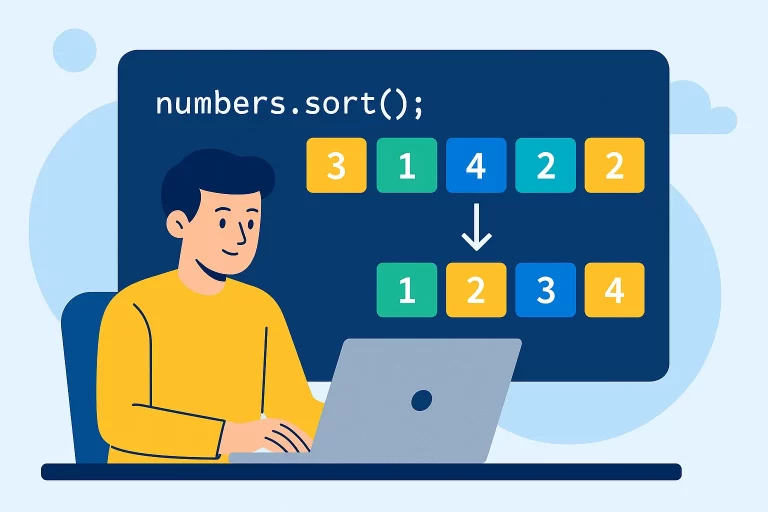
How to sort an array in javascript
Understanding the Sort Method
The sort() method is used to arrange the elements of an array in place and returns the sorted array. By default, it sorts elements as strings, which can lead to unexpected results with numbers.
Key Point: The sort() method modifies the original array. It doesn’t create a new sorted array but instead rearranges the elements of the existing array.
Basic Sorting Examples
Sorting String Arrays
let fruits = ["banana", "orange", "apple", "grape"];

// Sort alphabetically (default behavior)
fruits.sort();
console.log(fruits); // ["apple", "banana", "grape", "orange"]

// The original array is modified
console.log(fruits); // ["apple", "banana", "grape", "orange"]
banana
orange
apple
grape
→
apple
banana
grape
orange
The Problem with Number Sorting
let numbers = [45, 23, 10, 89, 5];

// Incorrect numeric sorting (treats numbers as strings)
numbers.sort();
console.log(numbers); // [10, 23, 45, 5, 89] (not correct!)

// Why this happens: elements are converted to strings and sorted lexicographically
// "10" comes before "5" because "1" comes before "5" in Unicode
Using Compare Functions
To sort arrays correctly (especially numeric arrays), you need to provide a compare function to the sort() method.
Compare Function Syntax
array.sort(function(a, b) {
  // Return values:
  // - Negative: a comes before b
  // - Positive: b comes before a
  // - Zero: order remains unchanged
});
Sorting Numbers Correctly
let numbers = [45, 23, 10, 89, 5];

// Ascending order
numbers.sort(function(a, b) {
  if (a < b) {
    return -1; // a comes before b
  }
  if (a > b) {
    return 1; // b comes before a
  }
  return 0; // order unchanged
});
console.log(numbers); // [5, 10, 23, 45, 89]

// Simplified version for numbers
numbers.sort((a, b) => a - b); // Ascending
console.log(numbers); // [5, 10, 23, 45, 89]

numbers.sort((a, b) => b - a); // Descending
console.log(numbers); // [89, 45, 23, 10, 5]
Sorting Arrays with Objects
Sorting Objects by Property
let employees = [
  { id: 1001, name: "John", salary: 50000 },
  { id: 1002, name: "Jane", salary: 75000 },
  { id: 1003, name: "Bob", salary: 60000 }
];

// Sort by salary (ascending)
employees.sort((a, b) => a.salary - b.salary);
console.log(employees);
// [
//   { id: 1001, name: "John", salary: 50000 },
//   { id: 1003, name: "Bob", salary: 60000 },
//   { id: 1002, name: "Jane", salary: 75000 }
// ]

// Sort by name (alphabetically)
employees.sort((a, b) => {
  if (a.name < b.name) return -1;
  if (a.name > b.name) return 1;
  return 0;
});
console.log(employees);
// [
//   { id: 1003, name: "Bob", salary: 60000 },
//   { id: 1002, name: "Jane", salary: 75000 },
//   { id: 1001, name: "John", salary: 50000 }
// ]
Handling Special Cases
Sorting Arrays with Undefined Values
let mixedArray = ["banana", undefined, "apple", undefined, "orange"];

// Sort with undefined values
mixedArray.sort();
console.log(mixedArray); // ["apple", "banana", "orange", undefined, undefined]

// Undefined values are always placed at the end
Case-Insensitive Sorting
let caseSensitive = ["Banana", "apple", "Orange", "grape"];

// Default sort is case-sensitive
caseSensitive.sort();
console.log(caseSensitive); // ["Banana", "Orange", "apple", "grape"]

// Case-insensitive sort
caseSensitive.sort((a, b) => {
  const aLower = a.toLowerCase();
  const bLower = b.toLowerCase();
  if (aLower < bLower) return -1;
  if (aLower > bLower) return 1;
  return 0;
});
console.log(caseSensitive); // ["apple", "Banana", "grape", "Orange"]
Common Questions Answered
How to Create a Sorted Copy Without Modifying Original
let original = [45, 23, 10, 89, 5];

// Create a sorted copy without modifying original
let sortedCopy = [...original].sort((a, b) => a - b);

console.log(original); // [45, 23, 10, 89, 5] (unchanged)
console.log(sortedCopy); // [5, 10, 23, 45, 89]
Sorting by Multiple Criteria
let people = [
  { name: "John", age: 30, score: 85 },
  { name: "Jane", age: 25, score: 95 },
  { name: "Bob", age: 30, score: 75 }
];

// Sort by age (ascending), then by score (descending)
people.sort((a, b) => {
  // First by age
  if (a.age !== b.age) {
    return a.age - b.age;
  }
  // If ages are equal, sort by score (descending)
  return b.score - a.score;
});

console.log(people);
// [
//   { name: "Jane", age: 25, score: 95 },
//   { name: "Bob", age: 30, score: 75 },
//   { name: "John", age: 30, score: 85 }
// ]
Best Practices
- Always use a compare function when sorting numbers
- Create a copy of the array before sorting if you need to preserve the original
- For complex objects, specify the property to sort by in your compare function
- Use arrow functions for concise compare functions when appropriate
- Remember that undefined values are always sorted to the end of the array