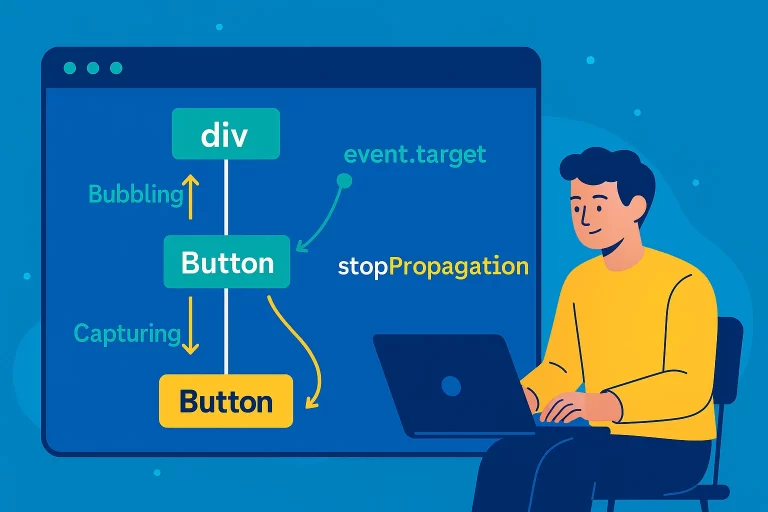
Event Bubbling and Capturing in JavaScript
Introduction to Event Propagation
Event propagation in JavaScript refers to the way events travel through the DOM hierarchy. The two phases of propagation are bubbling (bottom-to-top) and capturing (top-to-bottom). Understanding these concepts is crucial for effective event handling in web applications.
Key Point: By default, events in JavaScript propagate from the target element upward (bubbling). Capturing reverses this, starting from the topmost ancestor downward.
Event Bubbling
Event bubbling is the default behavior where an event starts at the target element and propagates up through its ancestors to the window object.
Bubbling Example
<!-- HTML -->
<div id="div1" onclick="divClick()">
    <button id="btn1" onclick="btnClick()">Click Me</button>
</div>

function divClick() {
    alert('Division clicked!');
}

function btnClick() {
    alert('Button clicked!');
}
Clicking the button triggers btnClick first, then divClick due to bubbling.
Stopping Event Propagation
To prevent an event from bubbling up to ancestors, use the event.stopPropagation() method.
Stopping Bubbling
<!-- HTML -->
<div id="div1" onclick="divClick()">
    <button id="btn1" onclick="btnClick(event)">Click Me</button>
</div>

function divClick() {
    alert('Division clicked!');
}

function btnClick(event) {
    alert('Button clicked!');
    event.stopPropagation(); // Stops bubbling to div
}
Clicking the button only triggers btnClick, as stopPropagation prevents the event from reaching the div.
Event Capturing
Event capturing reverses the propagation order, starting from the window object and moving down to the target element. This requires using addEventListener with the third parameter set to true.
Capturing Example
<!-- HTML -->
<div id="div1">
    <button id="btn1">Click Me</button>
</div>

window.onload = () => {
    const div1 = document.getElementById('div1');
    const btn1 = document.getElementById('btn1');

    div1.addEventListener('click', () => {
        alert('Division clicked!');
    }, true); // Capture phase

    btn1.addEventListener('click', () => {
        alert('Button clicked!');
    }, true); // Capture phase
};
Clicking the button triggers divClick first, then btnClick, as the event propagates top-to-bottom.
Event Target
The event.target property returns the element that triggered the event, useful for identifying the source of an event.
Using event.target
<!-- HTML -->
<div id="div1">
    <button id="btn1" name="btn1">Click Me</button>
</div>

function btnClick(event) {
    alert(`Clicked element: ${event.target.name}`); // Outputs: Clicked element: btn1
}
This displays the name attribute of the clicked button.
Bubbling vs Capturing
Bubbling vs Capturing
| Aspect | Bubbling | Capturing |
|---|---|---|
| Propagation Direction | Bottom-to-top (target to ancestors) | Top-to-bottom (ancestors to target) |
| Default Behavior | Yes | No, requires addEventListener with true |
| Use Case | Common for most event handling | Useful for handling events at parent level first |
Best Practices
- Use
event.stopPropagation()to prevent unwanted bubbling when necessary. - Use
addEventListenerfor flexible event binding, especially for capturing. - Leverage
event.targetto identify the source element dynamically. - Understand when bubbling is beneficial, such as for event delegation.
- Test event behavior in both bubbling and capturing phases for complex DOM structures.