How to Use WhatsApp Status Ads to Grow Your Business
The digital advertising landscape is evolving, and WhatsApp has officially entered the game with ads in WhatsApp Status. This new feature opens up exciting opportunities for businesses to reach their audiences in one of the world’s most popular messaging platforms. Here’s everything you need to know about leveraging WhatsApp Status ads for your business.
What Are WhatsApp Status Ads?
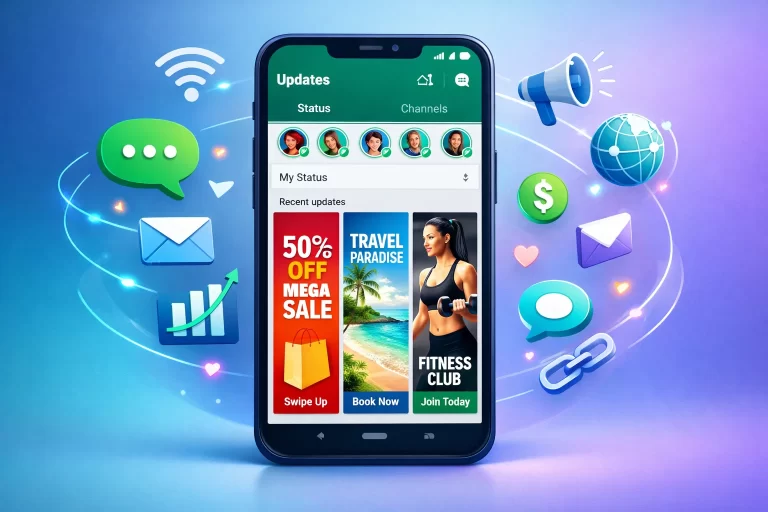
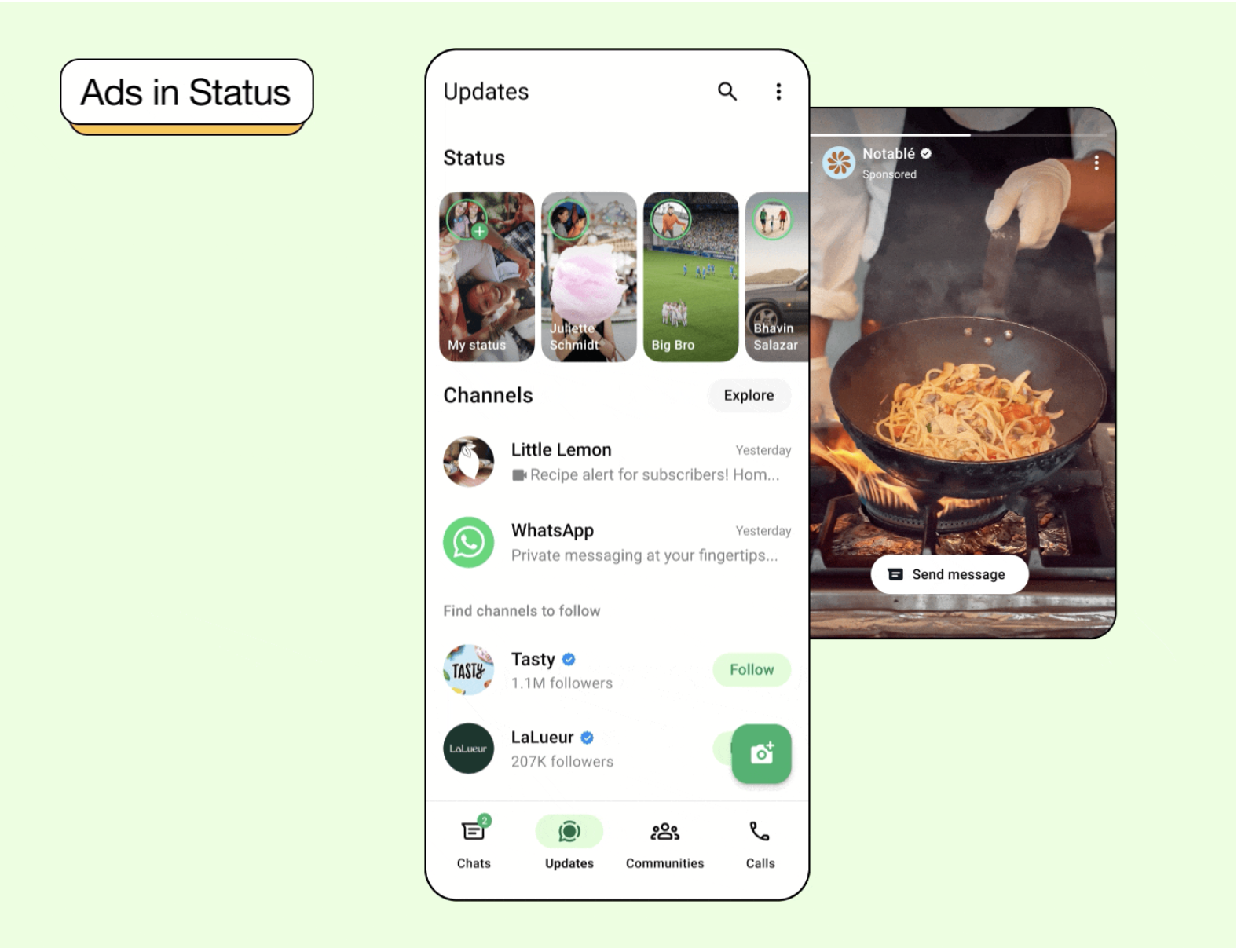
WhatsApp Status ads are a new advertising format that allows businesses to connect with potential customers through the platform’s Updates tab. Similar to Instagram Stories, these ads appear as vertical images or videos that disappear after 24 hours, seamlessly integrating into users’ Status feeds.
What makes this particularly exciting is the scale: WhatsApp boasts over 2 billion users globally, making it one of the most powerful platforms for reaching diverse audiences across different markets.
How WhatsApp Status Ads Work
Where Your Ads Appear
Your ads will appear exclusively in the WhatsApp Updates tab, which is completely separate from personal chats and calls. This separation is crucial because it means:
- Your advertising won’t interrupt private conversations
- Users can engage with brand content without cluttering their chat list
- The personal messaging experience remains unchanged and private
Technical Specifications
WhatsApp Status ads follow a specific format:
- Format: Single vertical images or videos
- Duration: Up to 90 seconds for video content
- Aspect Ratio: 9:16 (vertical/portrait orientation)
- Lifespan: 24 hours before disappearing
Privacy First Approach
One of WhatsApp’s biggest selling points has always been privacy, and that hasn’t changed with the introduction of ads. Here’s what stays private:
- Personal messages remain end-to-end encrypted
- Calls stay end-to-end encrypted
- Status updates continue to be end-to-end encrypted
- WhatsApp doesn’t keep logs of messaging activity
- Your private conversations are never used to determine which ads you see
This privacy-first approach means businesses can advertise confidently while respecting user privacy.
Getting Started: Prerequisites
Before you can run ads in WhatsApp Status, you’ll need to set up a few things:
1. WhatsApp Business Account
You must have either:
- A business account in the WhatsApp Business App, or
- Integration with the WhatsApp Business API
2. Facebook Integration
Connect your WhatsApp business account to your Facebook Page and ensure you’re listed as an admin. Alternatively, connect your WhatsApp number to your business portfolio.
3. Instagram Stories Placement
To use the WhatsApp Status placement, you must also include Instagram Stories in your ad placement strategy. This bundled approach ensures consistency across Meta’s platforms.
Important Note: If your WhatsApp business account and Facebook business Page aren’t linked in the same business portfolio, your profile photo and name might not appear in the preview during setup. Don’t worry—they will appear in the published ad that users see.
Supported Campaign Objectives
WhatsApp Status ads support four specific campaign objectives, all designed to drive meaningful conversations with your business:
1. Engagement
Perfect for businesses looking to build relationships. This objective finds people who are most likely to message or engage with your business directly through WhatsApp.
Best for: Community building, customer service initiatives, brand awareness campaigns
2. Traffic
Increase the volume of conversations people have with your business. This objective drives more interactions and helps you build a robust customer communication pipeline.
Best for: Increasing customer inquiries, driving consultation bookings, general engagement
3. Leads
Collect valuable lead information by finding people willing to share their contact details and other information through WhatsApp conversations.
Best for: Real estate agents, B2B services, educational institutions, high-consideration purchases
4. Sales
Target people who are most likely to make a purchase by initiating buying conversations through WhatsApp.
Best for: E-commerce businesses, retail stores, service providers, direct-to-consumer brands
Audience Targeting Options
WhatsApp Status ads offer three primary targeting parameters:
Location Targeting
Show your ads to people based on their general location, including:
- Country-level targeting
- Regional targeting
- City/town-level targeting
This is particularly useful for businesses with physical locations or those serving specific geographic markets.
Language Targeting
Reach people based on their language preferences, allowing you to create culturally relevant, localized campaigns.
Age Targeting
Target users by age group. Notably, this includes people on WhatsApp whose age is unknown, giving you broader reach while still maintaining some demographic control.
What’s NOT Allowed on WhatsApp Status Ads
To maintain a safe and trusted environment, certain types of campaigns and content are prohibited:
- Special Ad Category campaigns (housing, employment, credit, social issues)
- Meta experiments
- Advantage+ catalogue ads
- Partnership Ads
- Age-restricted content
- Content violating Meta’s Policies and Community Standards
These restrictions help ensure WhatsApp Status remains a brand-safe environment.
Brand Safety Features
WhatsApp has implemented several features to protect both users and advertisers:
1. Ephemeral Nature
Like organic Status updates, ads disappear after 24 hours and are only visible to mutual contacts or selected audiences.
2. Policy Enforcement
WhatsApp Status is governed by WhatsApp Messaging Guidelines, ensuring a safe environment. The platform actively takes action against accounts involved in:
- Illegal activity
- Adversarial behavior
- Fraud and scams
3. Placement Opt-Out
If you’ve used brand safety and suitability controls on Facebook, Instagram, or Threads in the past 12 months, you’re automatically opted out of WhatsApp Status placement. However, you can opt in at any time if you want to test this new channel.
4. No Recommended Content
Unlike other social platforms, WhatsApp Status doesn’t recommend status updates from non-contacts. This significantly reduces exposure to unknown or potentially problematic accounts.
Best Practices for WhatsApp Status Ads
1. Design for Mobile-First, Vertical Viewing
Since all Status ads are 9:16 vertical format, design your creative specifically for this orientation. Don’t just repurpose horizontal content—create native vertical assets.
2. Front-Load Your Message
With the 24-hour lifespan and quick browsing behavior on Status, make sure your key message appears in the first few seconds of video content or prominently in image ads.
3. Include a Clear Call-to-Action
Since these ads click through to WhatsApp conversations, make it crystal clear what action you want users to take: “Message us for a quote,” “Start shopping now,” “Book your consultation,” etc.
4. Prepare Your WhatsApp Business Account
Ensure your WhatsApp Business account is ready to handle incoming conversations:
- Set up quick replies for common questions
- Configure away messages for off-hours
- Train your team on responding to ad-generated inquiries
- Use WhatsApp Business tools like catalogs and automated messages
5. Test and Optimize
Start with small budgets to test creative variations, targeting options, and messaging strategies. Monitor which approaches drive the highest quality conversations.
The Business Opportunity
WhatsApp Status ads represent a significant opportunity for businesses because:
- Direct Conversations: Unlike ads that drive to websites, these create direct messaging connections with potential customers
- High Intent: Users who click on your ad are actively choosing to start a conversation, indicating higher purchase intent
- Relationship Building: WhatsApp conversations create ongoing relationships, not just one-time clicks
- Global Reach: Access WhatsApp’s massive global user base, especially strong in markets like India, Brazil, and across Europe
- Privacy-Conscious Advertising: Reach users in a privacy-safe way that respects their personal communications
Availability and Rollout
It’s important to note that WhatsApp is gradually introducing this feature. It may not currently be available in your country, but Meta continues to expand access to more markets over time.
If you don’t see the WhatsApp Status placement option in Meta Ads Manager yet, check back periodically or contact your Meta representative about availability in your region.
Getting Started Today
Ready to explore WhatsApp Status ads for your business? Here’s your action plan:
- Set up your WhatsApp Business account if you haven’t already
- Connect it to your Facebook Page and ensure proper admin access
- Access Meta Ads Manager and look for WhatsApp Status as a placement option
- Create your first campaign using one of the four supported objectives
- Design vertical creative optimized for the 9:16 format
- Launch with a test budget to gauge performance
- Monitor and optimize based on conversation quality and conversion data
The Bottom Line
WhatsApp Status ads offer businesses a unique opportunity to reach audiences in a trusted, private environment while driving meaningful conversations. With its massive user base, privacy-first approach, and direct conversation format, this new ad placement could become a powerful channel for businesses looking to build authentic customer relationships.
As Meta continues to roll out this feature globally, now is the time to experiment, learn, and establish your presence before the platform becomes saturated with advertisers.
About Addeb: We help businesses navigate the evolving digital advertising landscape with expert insights, practical guides, and strategic advice. Stay tuned for more updates on emerging advertising opportunities.
Is WhatsApp Status advertising available in your region? Have you tested it yet?