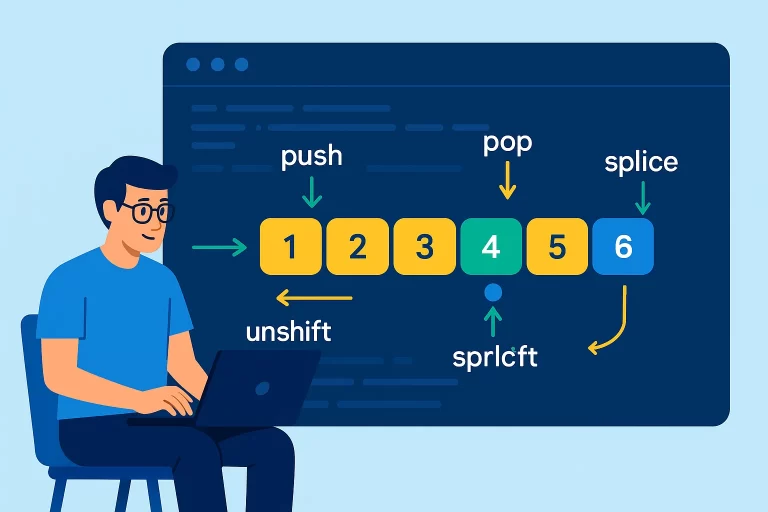
JavaScript Array Manipulation: Add, Remove, Replace Elements
Array Manipulation Methods
JavaScript provides several methods to add, remove, and replace elements in arrays. Understanding these methods is essential for effective array manipulation.
Key Point: JavaScript arrays are mutable, meaning most array methods change the original array. Be cautious when working with arrays that you don’t want to modify.
Basic Array Methods
The four fundamental array methods for adding and removing elements are:
| Method | Description | Returns | Modifies Original |
|---|---|---|---|
| push() | Adds one or more elements to the end | New length of array | Yes |
| pop() | Removes the last element | Removed element | Yes |
| unshift() | Adds one or more elements to the beginning | New length of array | Yes |
| shift() | Removes the first element | Removed element | Yes |
Basic Array Methods Example
let arr = [1, 2, 3, 4, 5];

// Add to end
let newLength = arr.push(6);
console.log(newLength); // 6 (new length)
console.log(arr); // [1, 2, 3, 4, 5, 6]

// Remove from end
let lastElement = arr.pop();
console.log(lastElement); // 6 (removed element)
console.log(arr); // [1, 2, 3, 4, 5]

// Add to beginning
newLength = arr.unshift(0);
console.log(newLength); // 6 (new length)
console.log(arr); // [0, 1, 2, 3, 4, 5]

// Remove from beginning
let firstElement = arr.shift();
console.log(firstElement); // 0 (removed element)
console.log(arr); // [1, 2, 3, 4, 5]
The Powerful Splice Method
The splice() method is a versatile tool that can add, remove, and replace elements at any position in an array.
Splice Method Syntax
array.splice(start, deleteCount, item1, item2, ...)
- start: Index to start changing the array
- deleteCount: Number of elements to remove (optional)
- item1, item2, …: Elements to add to the array (optional)
- Returns: Array of removed elements
Removing Elements with Splice
let arr = [1, 2, 3, 4, 5];

// Remove 2 elements starting from index 1
let removed = arr.splice(1, 2);
console.log(removed); // [2, 3] (removed elements)
console.log(arr); // [1, 4, 5]

// Remove all elements from index 2
removed = arr.splice(2);
console.log(removed); // [5]
console.log(arr); // [1, 4]
Adding Elements with Splice
let arr = [1, 2, 3, 4, 5];

// Add elements at index 2 without removing any
let removed = arr.splice(2, 0, 'a', 'b');
console.log(removed); // [] (no elements removed)
console.log(arr); // [1, 2, 'a', 'b', 3, 4, 5]

// Simulate push (add to end)
arr.splice(arr.length, 0, 'end');
console.log(arr); // [1, 2, 'a', 'b', 3, 4, 5, 'end']

// Simulate unshift (add to beginning)
arr.splice(0, 0, 'start');
console.log(arr); // ['start', 1, 2, 'a', 'b', 3, 4, 5, 'end']
Replacing Elements with Splice
let arr = [1, 2, 3, 4, 5];

// Replace 1 element at index 2 with new values
let removed = arr.splice(2, 1, 'new', 'values');
console.log(removed); // [3] (removed element)
console.log(arr); // [1, 2, 'new', 'values', 4, 5]

// Replace multiple elements
removed = arr.splice(1, 3, 'x', 'y', 'z');
console.log(removed); // [2, 'new', 'values']
console.log(arr); // [1, 'x', 'y', 'z', 4, 5]
Common Questions Answered
What does splice return when no elements are removed?
let arr = [1, 2, 3, 4, 5];

// Adding elements without removing any
let result = arr.splice(2, 0, 'a', 'b');
console.log(result); // [] (empty array)
console.log(arr); // [1, 2, 'a', 'b', 3, 4, 5]
Best Practices
- Use
push()andpop()for stack-like behavior (LIFO) - Use
unshift()andshift()for queue-like behavior (FIFO) - Use
splice()for precise element manipulation at specific positions - Consider creating copies of arrays before modification if you need to preserve the original
- Be mindful that these methods mutate the original array