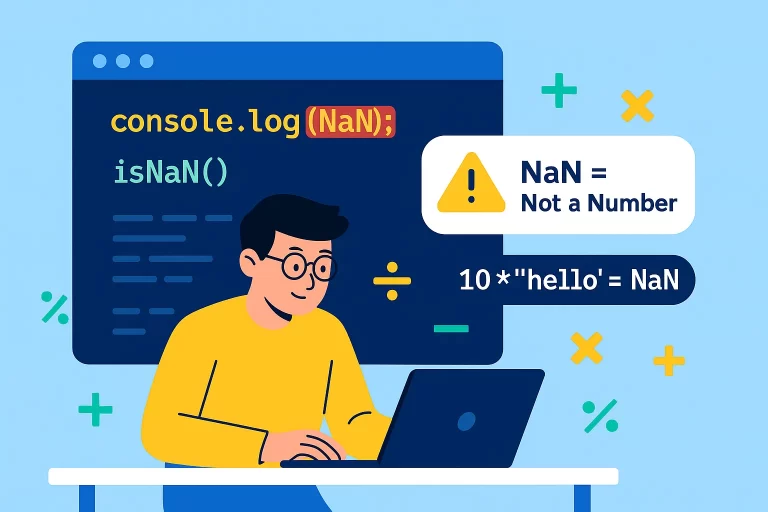
Understanding NaN in JavaScript with Examples
When learning JavaScript, one of the common errors beginners face is seeing the output as NaN.
But what exactly is NaN and why does it appear in our code? Let’s break this down step by step in the simplest way possible.
What is NaN in JavaScript?
NaNstands for Not a Number.- It is a global property in JavaScript.
- It represents a value that is not a valid number.
Example:
let a = 10;
let b = "hello";

console.log(a * b); // Output: NaN
Here, JavaScript cannot multiply a number (10) with a string ("hello"). That’s why it returns NaN.
When Do You Get NaN?
You usually get NaN when:
- A mathematical operation fails (like number × string).
- A function expects a number but gets something else.
- Invalid conversions between data types.
More Examples:
console.log(0 / 0);         // NaN
console.log(parseInt("abc")); // NaN
console.log(Math.sqrt(-1)); // NaN
How to Check for NaN in JavaScript?
Since NaN is tricky (it doesn’t even equal itself), we cannot simply check value === NaN.
Wrong way (don’t use this):
console.log(NaN === NaN); // falseInstead, we use built-in functions:
1. Using isNaN()
This function checks whether a value is NaN or not.
let x = "hello" * 2;
console.log(isNaN(x)); // true (because result is NaN)

let y = 100;
console.log(isNaN(y)); // false (because it's a number)
2. Using isFinite()
This method checks whether a value is a valid finite number (not NaN, Infinity, or -Infinity).
console.log(isFinite(25));         // true
console.log(isFinite(NaN));        // false
console.log(isFinite(Infinity));   // false
console.log(isFinite(-Infinity));  // false
NaN vs isNaN() vs isFinite()
Here’s a quick comparison:
| Function / Check | What it Does | Example Input | Output |
|---|---|---|---|
NaN (global property) |
Represents “Not a Number” | console.log(NaN) |
NaN |
isNaN(value) |
Checks if value is NaN (returns true/false) | "hello" * 2 |
true |
isFinite(value) |
Checks if value is a finite number (excludes NaN & Infinity) | Infinity |
false |
Practical Example
Let’s combine everything with a real check:
function checkValue(val) {
    if (isNaN(val)) {
        return "Invalid number (NaN)";
    } else if (!isFinite(val)) {
        return "Not a finite number (Infinity)";
    } else {
        return "Valid number: " + val;
    }
}

console.log(checkValue("abc" * 3)); // Invalid number (NaN)
console.log(checkValue(Infinity)); // Not a finite number (Infinity)
console.log(checkValue(50)); // Valid number: 50
FAQs about NaN in JavaScript
❓ Why does NaN !== NaN in JavaScript?
Because each NaN is treated as a unique value, it never equals itself. Use isNaN() instead.
❓ What’s the difference between null and NaN?
nullmeans no value / empty value.NaNmeans invalid number operation.
❓ How do I prevent NaN errors in my code?
Always validate user input with isNaN() or isFinite() before performing mathematical operations.
❓ Is NaN a number in JavaScript?
Yes, surprisingly typeof NaN returns "number". But it represents an invalid number.
console.log(typeof NaN); // "number"Key Takeaways
- NaN means “Not a Number”.
- You get it when you perform invalid mathematical operations.
- Never check NaN with
==or===. It always returns false. - Use
isNaN()to check if a value is NaN. - Use
isFinite()to check if a value is a valid finite number.
By understanding NaN, isNaN(), and isFinite(), you can write cleaner, error-free JavaScript code.